
This guide takes you from sign-up to a running app in four steps — about five minutes, with no setup required. Follow it once and you'll understand the whole build loop: describe, generate, preview, refine.
Before you start
- You only need a browser and an email address — nothing to install.
- New accounts begin on the Free plan with monthly credits and access to the Gemini model, enough to build and preview a real app.
- Each generation spends a small number of credits; you can see your balance in the top bar at any time.
Step 1 — Sign in
- Create an account at codesky.ai and verify your email.
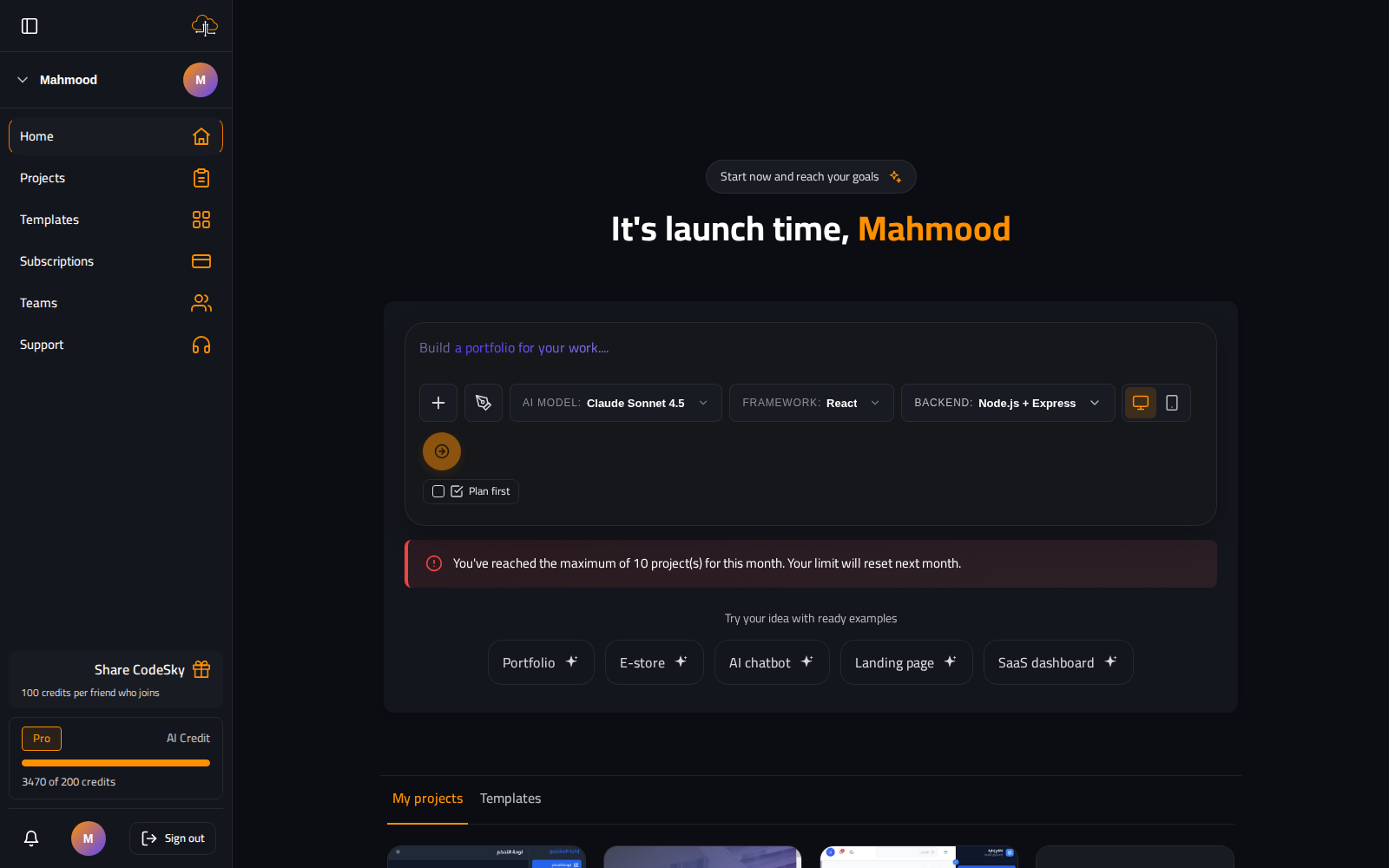
- You land on the dashboard, where the new-project box is the starting point for everything.
Step 2 — Describe your app
- Type a prompt in plain language, for example: "A shipping web app with a customer dashboard, label generation, and order tracking."
- Be concrete about the features and who they are for — detail up front means less back-and-forth later.
- Choose your stack: Web / React + Node is the default; switch the backend to .NET, Python/FastAPI, or Java/Spring if you prefer.
- Pick a model, or keep the default. See Choosing Your AI Model if you're unsure.
Step 3 — Watch it generate
- Your provider streams an explanation into the chat as it works.
- Files are written into
GeneratedApps/{userId}/{projectGuid}— a frontend, a backend, and a database. npm installruns automatically; the first run takes about a minute.- A version is saved when it finishes, so you can always roll back.
Step 4 — Preview and iterate
- Open the Preview tab to see the app served live from
/api/PreviewProxy/port/{port}/. - Refine with follow-up prompts in the same chat — "make the header sticky", "add a status filter to the orders table", "use a dark theme".
- Every message after the first is treated as an update to the same project, so it changes only what's needed.
- Don't like a change? Roll back to the previous version and try a different prompt.
Tips for a smooth first build
- Start with the core, then layer on. Get the main screens working first, then add auth, payments, and polish one message at a time.
- One change per message converges faster than a paragraph bundling five unrelated requests.
- Blank preview right after generating? That's usually
npm installstill finishing — wait a few seconds and it appears.
Tip: Free accounts default to Gemini. Upgrade to Pro to unlock Claude — the highest-quality model for full apps and complex refactors — and faster generation queues.
Next: want a requirements document before you build? Turn on Plan first on the new-project box — see Planning Mode. Already have code? See Import an Existing GitHub Project.
FAQ
How long until I have a running app?
About five minutes end to end; the first generation itself takes roughly a minute while files are written and dependencies install.
Why is the first preview slow?
The first preview runs npm install once (30–60 seconds). After that the server is reused and previews load instantly.
Can I change the tech stack later?
You can, but it's cleaner to pick it upfront. Changing backends mid-project is possible via a prompt, just more work than starting on the right one.