
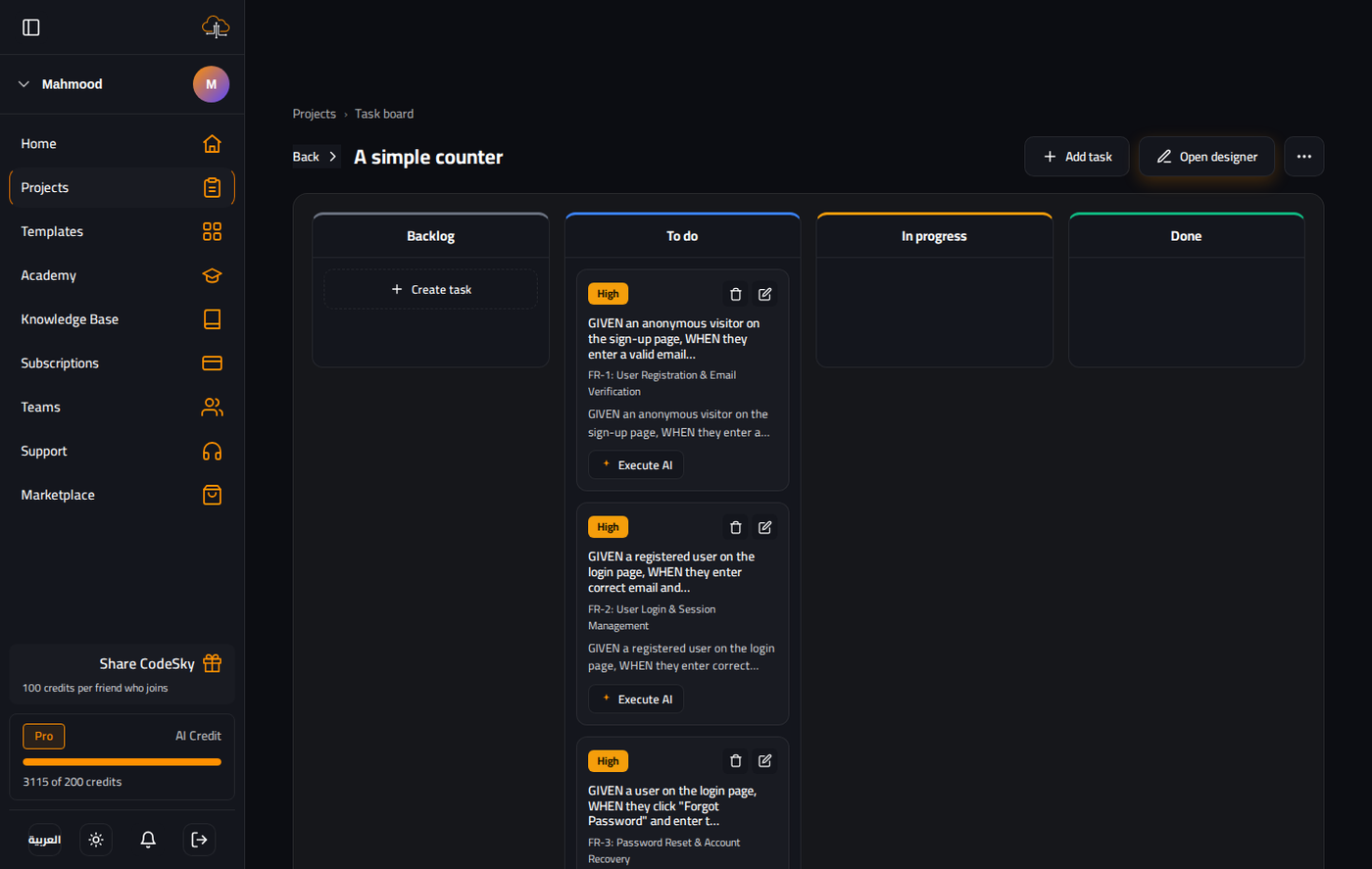
As CodeSky helps you build, it can organize the work into a task board, a visual way to see everything that needs doing, what is underway, and what is finished. Grouping tasks into sprints helps you plan what to tackle next.
What is the task board?
The task board turns your project's work into clear, movable cards arranged in columns. At a glance you can see the state of every task and how your project is progressing, no spreadsheets required.
The columns
Tasks move across four familiar columns:
- Backlog — ideas and tasks captured for later, not yet scheduled.
- To do — tasks you have decided to work on next.
- In progress — tasks currently being worked on.
- Done — completed tasks.
As work advances, tasks move from left to right, giving you a simple, satisfying picture of momentum.
Working with tasks
The board keeps everything in one place so you can:
- See what still needs doing without losing track of details.
- Decide what is most important and move it into to do.
- Follow progress as items reach done.
Because CodeSky can generate the tasks for you, your board fills in naturally as your plan takes shape.
Organizing with sprints
A sprint is a focused batch of work you plan to complete in one stretch. Grouping tasks into sprints helps you:
- Decide what to build next instead of trying to do everything at once.
- Keep each round of work focused and achievable.
- Build momentum with a clear finish line for each sprint.
Sprints turn a long list of ideas into manageable, bite-sized goals.
Tips for staying organized
- Capture everything in the backlog so no idea gets lost.
- Pull only a few tasks into to do at a time to stay focused.
- Plan small sprints you can realistically finish.
- Celebrate the done column as a record of how far you have come.
With a clear board and well-planned sprints, building stays organized and motivating from idea to launch.