CodeSky Desktop — v1.3.139

The full AI-powered IDE
for your machine.

All of CodeSky's AI generation, designer, and project workflows — running locally on your machine. Faster, private, and online or offline. Built on the same engine as the web app, with desktop-only features like inline edit, MCP tool servers, hardware-aware offline AI, and a visual debugger.

Windows — available now macOS — coming soon Linux — coming soon
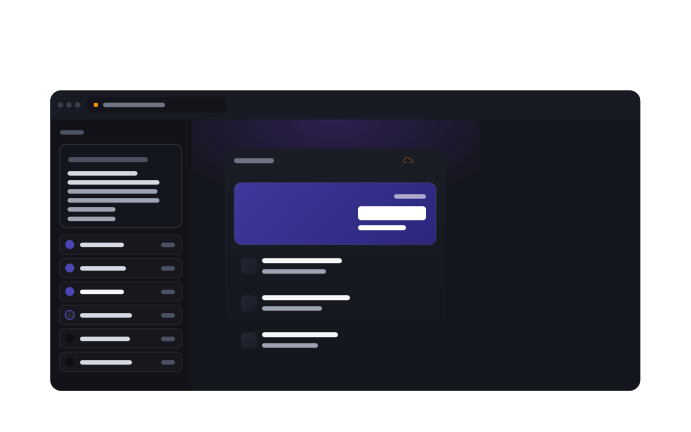
CodeSky Desktop workspace preview
What it does

Twelve reasons it earns a spot in your dock.

Every item below shipped in the last few months. None of them require an internet round-trip to the CodeSky cloud (offline AI is one click away).

⌨️v1.3.68

Inline Edit (Ctrl+K)

Select code, hit Ctrl+K, describe the change — the AI rewrites the selection in place. Same muscle memory as Cursor and Windsurf.

🔌v1.3.69

MCP — Model Context Protocol

Plug in project-scoped tool servers (filesystem, shell, custom). Your AI gains repo-aware context without leaking it to the cloud.

📜v1.3.69

.codeskyrules + Repo Conventions

A per-repo rules file the AI reads on every turn — codebase conventions, lint rules, architectural guardrails. No more reminding it twice.

🧠v1.3.70

Hardware-Aware Ollama Picker

The offline-setup wizard inspects your CPU, RAM, and GPU and recommends Ollama models you can actually run smoothly.

🌍v1.3.71

In-App Announcements (8 Languages)

Markdown release notes with i18n, scheduling, and a built-in modal. Updates land in-app the moment they ship.

🔄v1.3.74

Reliable Auto-Updater

Kill-all-child-processes on quit so the updater can always swap the executable. Dismissible update banner — never blocks your flow.

🗂️v1.3.74

VS Code-Style Tab Context Menu

Right-click any open tab for "Close Others", "Close to the Right", "Close All", "Copy Path" — the editor shortcuts your fingers already know.

🗄️v1.3.73

Database Picker at Project Creation

Choose SQL Server, PostgreSQL, MySQL, or SQLite right from the dashboard new-project flow. No post-create reconfiguration.

💬v1.3.69

Terminal AI + AI Commit Messages

Ask the AI to draft commit messages from your staged diff, and translate plain-English requests into shell commands directly in the terminal pane.

🐞

Visual Debugger with Breakpoints

Full debug UI — set breakpoints in the editor gutter, step over / into / out, inspect variables, evaluate watch expressions. No external tooling.

🔔

System Tray + Deep Links

Minimize to tray, get notifications when long-running generations complete, and open projects from `codesky://` URLs in chat or email.

💳v1.3.76

Per-Provider Quota Tracking

Separate counters for provider-side rate limits vs your CodeSky credits — you always know which budget is about to run out.

Version history

What landed, one release at a time.

Latest first. Each version auto-updates in the installed app — no re-download needed.

  1. v1.3.77PendingLatest

    In-flight release

    • Bug auto-fix workflow integration touchpoints
    • Improved announcement detail navigation
    • Misc small UX fixes from Designer feedback
  2. v1.3.76May 2026

    Tighter update explanations + provider-quota event

    • Update explanations are now phrased in product terms (no internal jargon)
    • Distinct "provider quota exceeded" event surfaced separately from user credit exhaustion
    • Code-generation status messages trimmed and de-duplicated
  3. v1.3.75May 2026

    Designer quiet, credits visible, code view preserved

    • Silenced repetitive Designer noise spam in chat
    • Accurate update-count badge after rapid iterations
    • Keeps code view visible across regenerations
    • Credit pill always visible in the Designer header
  4. v1.3.74May 2026

    Dismissible update banner + VS Code-style tab menu

    • Update banner can be dismissed for the session
    • Right-click any editor tab for Close Others / Close to Right / Close All / Copy Path
  5. v1.3.73May 2026

    Database selector at project creation

    • Pick SQL Server / PostgreSQL / MySQL / SQLite right from the new-project dialog
    • No more post-create reconfiguration
  6. v1.3.72May 2026

    Updater fix — child processes

    • All child processes terminated on quit so the auto-updater can replace the executable on Windows
    • Resolves a class of "update applied but app still on the old version" reports
  7. v1.3.71May 2026

    Announcements: markdown + 8-language i18n + scheduling

    • Markdown release notes / announcements with translations across 8 languages
    • Scheduled reveal + auto-archive expiration
    • Built-in modal viewer ported to Desktop
  8. v1.3.70May 2026

    Hardware-aware Ollama picker

    • Offline-setup wizard inspects CPU / RAM / GPU
    • Recommends only Ollama models that fit your machine
  9. v1.3.69April 2026

    Six Cursor / Windsurf parity features

    • MCP (Model Context Protocol) v1 — project-scoped tool servers
    • Inline Edit (Ctrl+K) — selection rewrite
    • .codeskyrules file for per-repo AI conventions
    • AI commit message generation from staged diff
    • Terminal AI — plain English → shell
    • Deep-link handler (codesky:// URLs)
System requirements

What you need to run it.

🪟 Windows
  • Windows 10 64-bit or newer
  • 8 GB RAM (16 GB recommended for offline AI models)
  • ~600 MB disk space
  • .NET runtime bundled — no separate install
🍎 macOS
  • Coming soon — sign up at the bottom of this page to be notified
🐧 Linux
  • Coming soon — Debian/Ubuntu .deb planned first

Get the full CodeSky experience on your machine.

Same engine, more horsepower, totally yours.

Download for Windowsv1.3.139 · See pricing